Blog ·
How ride-matching apps work: drivers, offers, trip states and maps
A ride-matching app runs in a loop. Driver phones send their GPS position to a server every few seconds. When you ask for a ride, the server finds a free driver near your pickup, sends them an offer, and waits for a yes. A routing engine running on map data, such as OpenStreetMap, works out the route and the travel time.
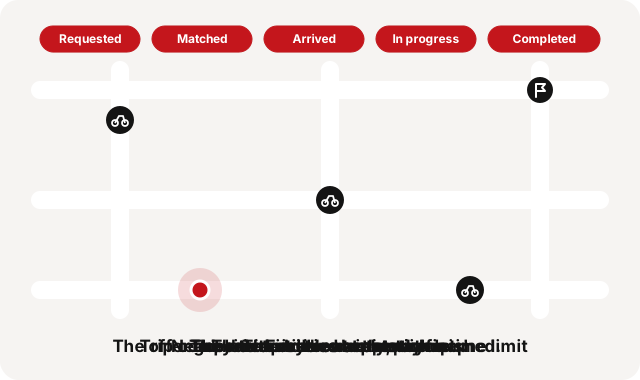
You tap "Request ride". Here's what happens next
You set a pickup and a destination, and you tap the button. In most ride apps, the next few steps look like this:
- The server creates a new trip.
- It looks for drivers who are online, free and close to your pickup.
- A driver's phone shows an offer. They have a short time to answer.
- They accept. The trip is matched, and both phones now show each other on the map.
- The driver rides to you, starts the trip, and ends it at your destination.
Simple on paper. The hard part is that the world keeps moving while this happens. Drivers move, riders cancel, and phones lose signal. The system has to stay correct through all of it.
Knowing where drivers are
While a driver is online, their app sends its GPS position to the server every few seconds.
Treat each position as a close guess, not a perfect point. Smartphone GPS is typically accurate to within 4.9 metres under open sky, and worse near buildings, bridges and trees.
Many apps keep each driver's latest position in a fast index, so they can ask "who is within this radius of the pickup?" in an instant.
Two rules keep that data honest:
- Silence means offline. If a driver's phone stops reporting, the server soon stops treating them as available. A driver who shows on the map but can't answer is worse than no driver.
- Late positions get dropped. They aren't saved up and replayed. An old position misleads more than a missing one.
One driver at a time, or everyone at once?
There are two common ways to hand out a request. Each one trades rider waiting time against fairness to drivers.
- One at a time. The nearest free driver gets the offer. If they say no or time runs out, the next driver gets it. It's fair to drivers, but every "no" adds to your wait.
- Broadcast. Many nearby drivers see the offer, and the first to accept gets the trip. It can find someone faster when many drivers are online. But many drivers tap, only one wins, and the winner may not be the closest.
A one-at-a-time search usually starts with a small circle around the pickup and makes it bigger if nobody is free. It remembers who already said no, so it doesn't ask them again. And every offer has a time limit, so a driver who doesn't answer can't hold you up forever.
Trip states: one label, a few allowed moves
Ride apps track each trip with one label that says where it is in its life. Only certain moves between labels are allowed. A trip can go from "matched" to "arrived", for example, but a finished trip can't start again.
Clear labels make the tricky moments simple. Say a driver taps accept at the exact moment the offer runs out. Only one of those two changes can win, and the other is refused.
Routes and arrival times come from a routing engine
Roads bend and some streets go one way, so a straight line on the map gets the distance wrong. A routing engine reads the roads as a network and finds the fastest path.
OSRM, the Open Source Routing Machine, is a C++ routing engine that can import OpenStreetMap data. Its API has a few services that ride apps lean on:
- Route: the fastest route between points, with distance and travel time.
- Table: travel times between many pairs of points at once, handy for comparing many drivers against one pickup.
- Nearest: moves a point onto the closest street.
- Match: lines up a trail of GPS points with the roads.
Where the map comes from
Ride apps usually show a map made of small square pictures, called tiles, drawn from map data such as OpenStreetMap.
OpenStreetMap is a free, editable map of the whole world, built by volunteers. You can use the data as long as you credit OpenStreetMap and its contributors. That's why you see "© OpenStreetMap contributors" in the corner of so many maps.
The data and the picture are separate. A map server turns the data into tiles. On the standard layout, each tile is 256 by 256 pixels, one tile shows the whole world at zoom 0, and each zoom level has four times as many tiles as the last. Raster tiles are ready-made images. Vector tiles carry the data, and the phone draws it.
How it looks in Quick Ride
Quick Ride connects passengers with independent motorcycle drivers in Albania. It works one driver at a time, but you make the choice.
- You pick a motorcycle from a list of nearby drivers.
- The request goes to that driver only, and they have a short time to answer.
- If they say no or don't answer in time, the request ends, and you can pick another driver. We don't pass your request to someone you didn't choose.
- The driver marks "arrived" and "start ride" themselves. When they get close, you get a notice that they're arriving.
- During the trip, you see your driver move on the map, with the route and travel time.
Every trip moves through these stages:
- Requested: you asked, and the offer is out.
- Matched: a driver accepted.
- Arrived: the driver is at the pickup.
- In progress: the ride has started.
- Completed, Cancelled or No driver found: the trip is over. These three are final. A finished trip stays finished.